Pusher Implementation
GraphQL Pro includes a subscription system based on Redis and Pusher which works with any Ruby web framework.
After creating an app on Pusher and configuring the Ruby gem, you can hook it up to your GraphQL schema.
How it Works
This subscription implementation uses a hybrid approach:
-
Your app takes
GraphQLqueries an runs them -
Redis stores subscription data for later updates
-
Pusher sends updates to subscribed clients
So, the lifecycle goes like this:
-
A
subscriptionquery is sent by HTTP Post to your server (just like aqueryormutation) -
The response contains a Pusher channel ID (as an HTTP header) which the client may subscribe to
-
The client opens that Pusher channel
-
When the server triggers updates, they’re delivered over the Pusher channel
-
When the client unsubscribes, the server receives a webhook and responds by removing its subscription data
Here’s another look:
1. Subscription is created in your app

          HTTP POST
        .---------->   write to Redis
      📱            ⚙️ -----> 💾
        <---------'
        X-Subscription-ID: 1234


2. Client opens a connection to Pusher

          websocket
      📱 <---------> ☁️


3. The app sends updates via Pusher

      ⚙️ ---------> ☁️ ------> 📱
        POST           update
      (via gem)   (via websocket)


4. When the client unsubscribes, Pusher notifies the app

          webhook
      ⚙️ <-------- ☁️  (disconnect) 📱
By using this configuration, you can use GraphQL subscriptions without hosting a push server yourself!
Database setup
Subscriptions require a persistent Redis database, configured with:
maxmemory-policy noeviction
# optional, more durable persistence:
appendonly yes
Otherwise, Redis will drop data that doesn’t fit in memory (read more in “Redis persistence”).
If you’re already using Redis in your application, see “Storing Data in Redis” for options to isolate data and tune your configuration.
Schema configuration
Add redis to your Gemfile:
gem 'redis'
and bundle install. Then create a Redis instance:
# for example, in an initializer:
$graphql_subscriptions_redis = Redis.new # default connection
Then, that Redis client is passed to the Subscription configuration:
class MySchema < GraphQL::Schema
  use GraphQL::Pro::PusherSubscriptions, redis: $graphql_subscriptions_redis
end
That connection will be used for managing subscription state. All writes to Redis are prefixed with graphql:sub:.
There are two configurations for managing persistence:
-
stale_ttl_s:expires subscription data after the given number of seconds without any update. Afterstale_ttl_shas passed, the data will expire from Redis. Each time a subscription receives an update, its TTL is refreshed. (Generally, this isn’t required because the backend is built to clean itself up. But, if you find that Redis is collecting stale queries, you can set them to expire after some very long time as a safeguard.) -
cleanup_delay_s:(default:5) prevents deleting a subscription during those first seconds after it’s created. Usually, a longer delay isn’t necessary, but if you observe latency between the subscription’s initial response and the client’s subscription to the delivery channel, you can set this configuration to account for it.
Also, you can use extra_webhook_tokens: [{ key: "...", secret: "..." }, ...] when you need to roll Pusher keys. Pusher uses the oldest active token, so you can pass the old credentials there while you’re rolling over to the new one.
Connection Pool
For better performance reading and writing to Redis, you can pass a connection_pool: instead of redis:, using the connection_pool gem:
    use GraphQL::Pro::PusherSubscriptions,
    connection_pool: ConnectionPool.new(size: 5, timeout: 5) { Redis.new },
Broadcasts
If you set up Broadcasts, then you can update many clients over a single Pusher channel.
Broadcast channels have stable, predictable IDs. To prevent unauthorized clients from “listening in,” use an authorized Pusher channel for transport. In your authorization code, you can check for a broadcast using .broadcast_subscription_id?:
# In your Pusher authorization endpoint:
channel_name = params[:channel_name]
MySchema.subscriptions.broadcast_subscription_id?(channel_name)
# => true | false
Execution configuration
During execution, GraphQL will assign a subscription_id to the context hash. The client will use that ID to listen for updates, so you must return the subscription_id in the response headers.
Return result.context[:subscription_id] as the X-Subscription-ID header. For example:
result = MySchema.execute(...)
# For subscriptions, return the subscription_id as a header
if result.subscription?
  response.headers["X-Subscription-ID"] = result.context[:subscription_id]
end
render json: result
This way, the client can use that ID as a Pusher channel.
For CORS requests, you need a special header so that clients can read the custom header:
if result.subscription?
  response.headers["X-Subscription-ID"] = result.context[:subscription_id]
  # Required for CORS requests:
  response.headers["Access-Control-Expose-Headers"] = "X-Subscription-ID"
end
Read more here: “Using CORS”.
Payload Compression
To mitigate problems with Pusher’s 10kb message limit, you can specify compress_pusher_payload: true in the context of your subscription. For example:
# app/controllers/graphql_controller.rb
def execute
  # ...
  # Somehow detect whether the client supports compressed payloads,
  # for example, User-Agent, query param, or request header:
  if client_supports_compressed_payloads?
    context[:compress_pusher_payload] = true
  end
  # ...
end
This will cause subscription payloads to include compressed_result: "..." instead of result: "..." when they’re sent over Pusher. See docs for Apollo Client or Relay Modern to read about preparing clients for compressed payloads.
By configuring compress_pusher_payload: true on a query-by-query basis, the subscription backend can continue to support clients running old client code (by not compressing) while upgrading new clients to compressed payloads.
Batched Deliveries
By default, PusherSubscriptions sends updates in batches of up to 10 at a time, using batch triggers. You can customize the batch size by passing batch_size: when installing it, for example:
use GraphQL::Pro::PusherSubscriptions, batch_size: 1, ...
batch_size: 1 will make PusherSubscriptions use the single trigger API instead of batch triggers.
Webhook configuration
Your server needs to receive webhooks from Pusher when clients disconnect. This keeps your local subscription database in sync with Pusher.
In the Pusher web UI, Add a webhook for “Channel existence”
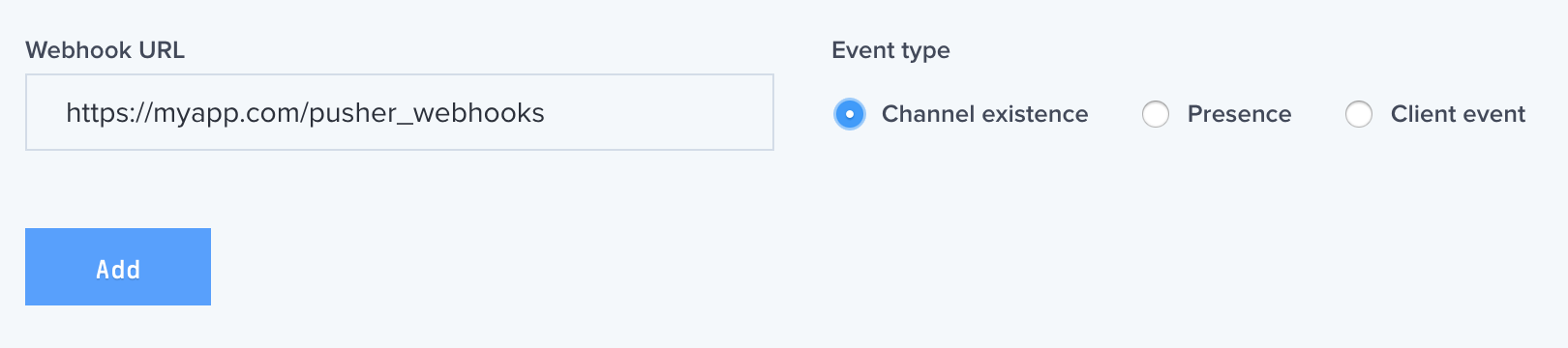 Webhook Configuration
Then, mount the Rack app for handling webhooks from Pusher. For example, on Rails:
# config/routes.rb

# Include GraphQL::Pro's routing extensions:
using GraphQL::Pro::Routes

Rails.application.routes.draw do
  # ...
  # Handle Pusher webhooks for subscriptions:
  mount MySchema.pusher_webhooks_client, at: "/pusher_webhooks"
end
This way, we’ll be kept up-to-date with Pusher’s unsubscribe events.
Alternatively, you can configure the routes to load your schema lazily, during the first request:
# Provide the fully-qualified class name of your schema:
lazy_routes = GraphQL::Pro::Routes::Lazy.new("MySchema")
mount lazy_routes.pusher_webhooks_client, at: "/pusher_webhooks"
Authorization
To ensure the privacy of subscription updates, you should use a private channel for transport.
To use a private channel, add a channel_prefix: key to your query context:
MySchema.execute(
  query_string,
  context: {
    # If this query is a subscription, use this prefix for the Pusher channel:
    channel_prefix: "private-user-#{current_user.id}-",
    # ...
  },
  # ...
)
That prefix will be applied to GraphQL-related Pusher channel names. (The prefix should begin with private-, as required by Pusher.)
Then, in your auth endpoint, you can assert that the logged-in user matches the channel name:
if params[:channel_name].start_with?("private-user-#{current_user.id}-")
  # success, render the auth token
else
  # failure, render unauthorized
end
Serializing Context
Since subscription state is stored in the database, then reloaded for pushing updates, you have to serialize and reload your query context.
By default, this is done with GraphQL::Subscriptions::Serialize‘s dump and load methods, but you can provide custom implementations as well. To customize the serialization logic, create a subclass of GraphQL::Pro::PusherSubscriptions and override #dump_context(ctx) and #load_context(ctx_string):
class CustomSubscriptions < GraphQL::Pro::PusherSubscriptions
  def dump_context(ctx)
    context_hash = ctx.to_h
    # somehow convert this hash to a string, return the string
  end

  def load_context(ctx_string)
    # Given the string from the DB, create a new hash
    # to use as `context:`
  end
end
Then, use your custom subscriptions class instead of the built-in one for your schema:
class MySchema < GraphQL::Schema
  # Use custom subscriptions instead of GraphQL::Pro::PusherSubscriptions
  # to get custom serialization logic
  use CustomSubscriptions, redis: $redis
end
That gives you fine-grained control of context reloading.
Dashboard
You can monitor subscription state in the GraphQL-Pro Dashboard:
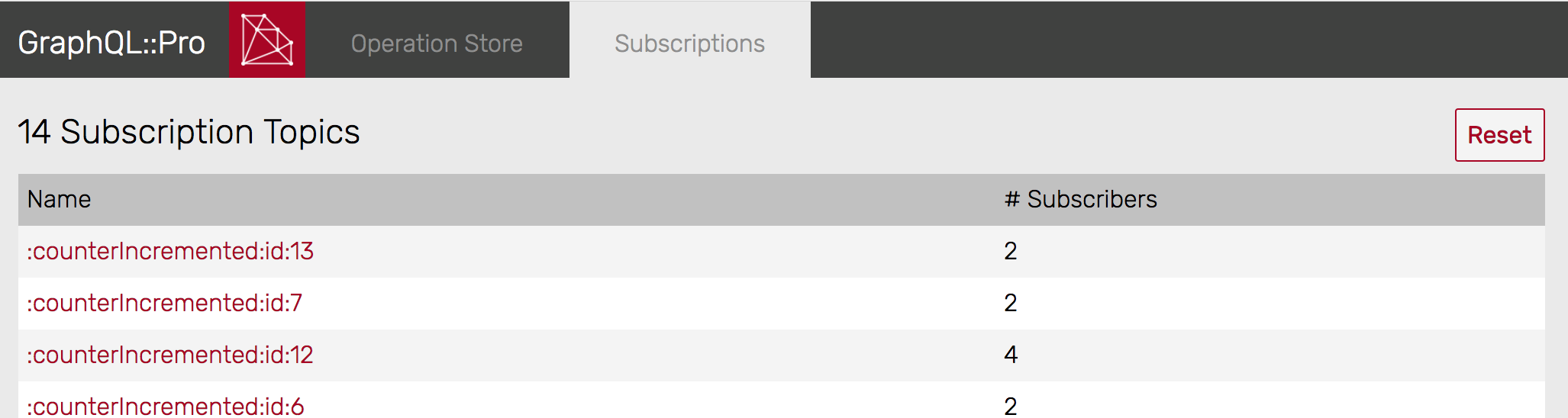 Subscription Dashboard
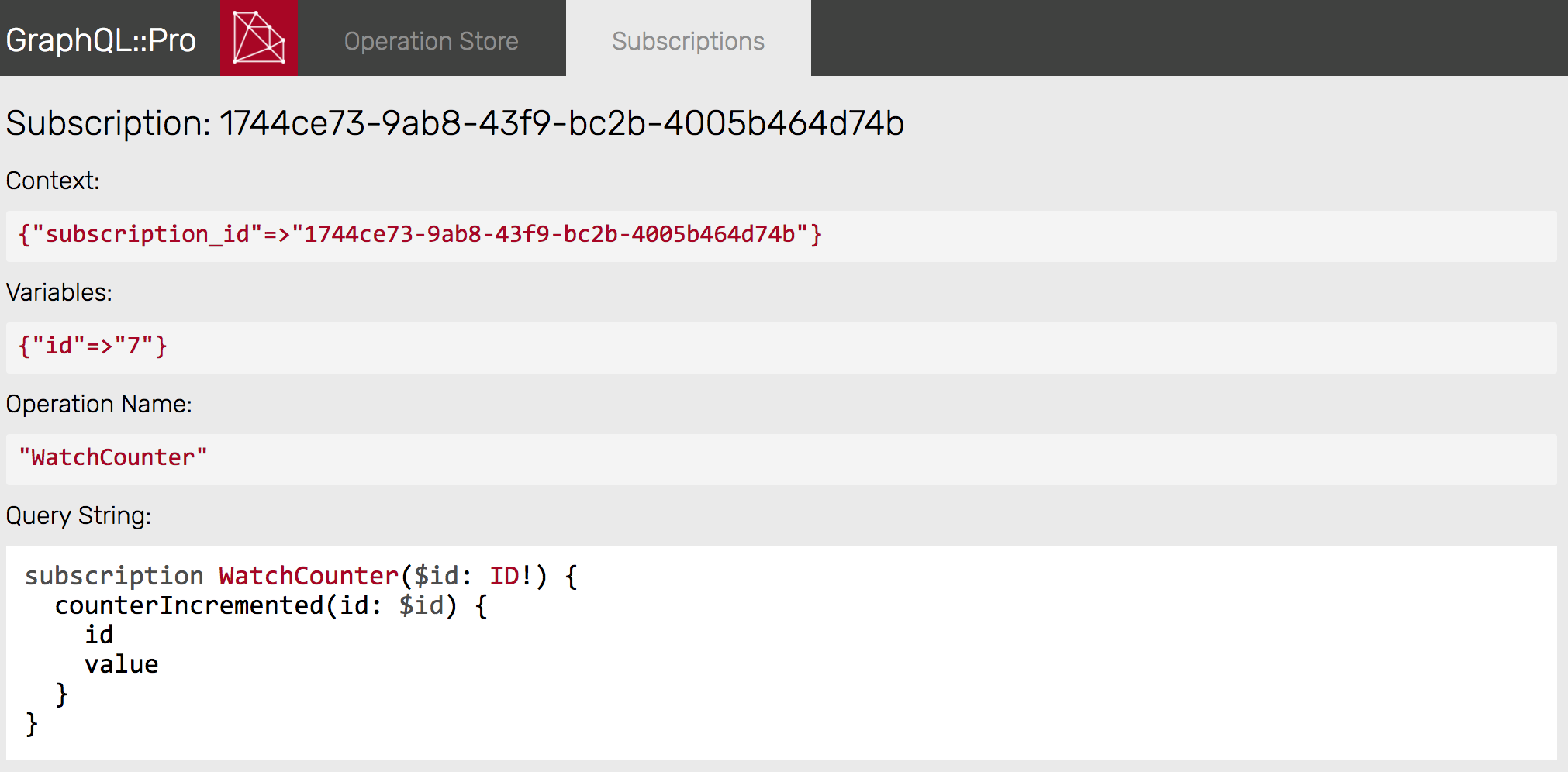 Subscription Detail
Development Tips
Clear subscription data
At any time, you can reset your subscription database with the “Reset” button in the GraphQL-Pro Dashboard, or in Ruby:
# Wipe all subscription data from the DB:
MySchema.subscriptions.clear
Developing with Pusher webhooks
To receive Pusher’s webhooks in development, Pusher suggests using ngrok. It gives you a public URL which you can setup with Pusher, then any hooks delivered to that URL will be forwarded to your development environment.
Client configuration
Install the Pusher JS client then see docs for: