Deploying Rate Limiters
Here are a few options for deploying GraphQL-Enterprise’s rate limiters:
-
The Dashboard shows some basic metrics about the limiter.
-
Soft limits start logging over-limit requests to the dashboard but don’t actually halt traffic.
-
Subscriptions need extra consideration
Dashboard
Once installed, your GraphQL-Pro dashboard will include a simple metrics view:
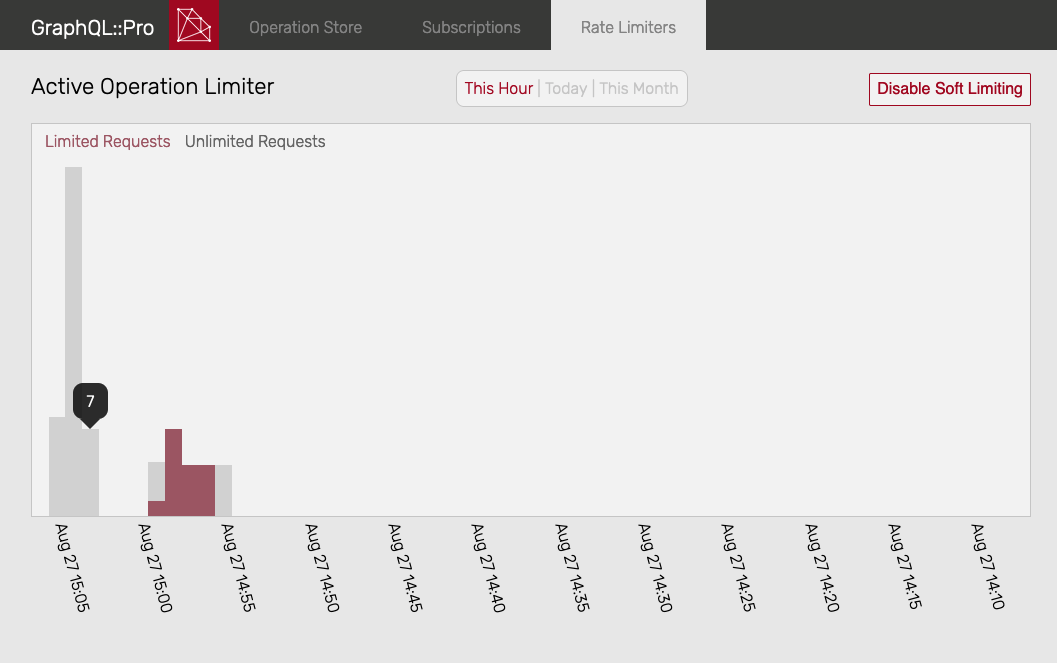 Active Operation Limiter Dashboard
To disable dashboard charts, add use(... dashboard_charts: false) to your configuration.
Also, the dashboard includes a link to enable or disable “soft mode”:
 Rate Limiter Soft Mode Button
When “soft mode” is enabled, limited requests are not actually halted (although they are counted). When “soft mode” is disabled, any over-limit requests are halted.
For more detailed metrics, see the “Instrumentation” section of the documentation for each limiter.
Soft Limits
By default, limiters don’t actually halt queries; instead, they start out in “soft mode”. In this mode:
-
limited/unlimited requests are counted in the Dashboard
-
but, no requests are actually halted
This mode is for assessing the impact of the limiter before it’s applied to production traffic. Additionally, if you release the limiter but find that it’s affecting production traffic adversely, you can re-enable “soft mode” to stop blocking traffic.
To disable “soft mode” and start limiting, use the Dashboard or re-implement some of the customization methods of the limiter.
You can also disable “soft mode” in Ruby:
# Turn "soft mode" off for the ActiveOperationLimiter
MySchema.enterprise_active_operation_limiter.set_soft_limit(false)
# or, for RuntimeLimiter
MySchema.enterprise_runtime_limiter.set_soft_limit(false)
Subscriptions
If you’re using PusherSubscriptions or AblySubscriptions, then you’ll need to accomodate subscriptions that were created before you deployed the rate limiter. Those subscriptions are already stored in Redis and their contexts don’t include the required limiter_key: value.
To address this, you can customize the limiter(s) you’re using to provide a default value in this case. For example:
class CustomRuntimeLimiter < GraphQL::Enterprise::RuntimeLimiter
  def limiter_key(query)
    if query.subscription_update? && query.context[:limiter_key].nil?
      # This subscription was created before limiter_key was required,
      # so provide a value for it.
      # If `context` includes enough information to create a
      # "real" limiter key, you could also do that here.
      # In this case, we're providing a default flag:
      "legacy-subscription-update"
    else
      super
    end
  end

  def limit_for(key, query)
    if key == "legacy-subscription-update"
      nil # no limit in this case
    else
      super
    end
  end
end
With methods like that, any subscriptions created before limiter_key: was required will not be subject to rate limits. Adjust those methods as needed for your application. Finally, be sure to attach your custom limiter in your schema, for example:
# Use a custom subclass of GraphQL::Enterprise::RuntimeLimiter:
use CustomRuntimeLimiter, ...